FigCraft
The coding agent for images.
A locally-run image & video creation agent. State your intent in one sentence; it breaks the work into sub-tasks, calls tools, generates in parallel, and finishes the whole set — like a coding agent that actually does the work.
- 01Conversational image generation across leading models
- 02Photoshop-grade editing — layers, selection, masks
- 03AI video generation built into the same workflow
- 04Agentic workflows that carry a task to a finished result
Not a prompt-level model — a task-level agent. You describe the need; it decomposes, schedules, executes and delivers.
State intent
One sentence; it reads your project assets locally.
Plan
Decomposes into sub-tasks and a visible plan — credits spend only after you approve.
Generate in parallel
Picks the best model per sub-task and runs many in parallel.
Write back locally
Outputs land in your local folders by naming convention — nothing goes to the cloud.
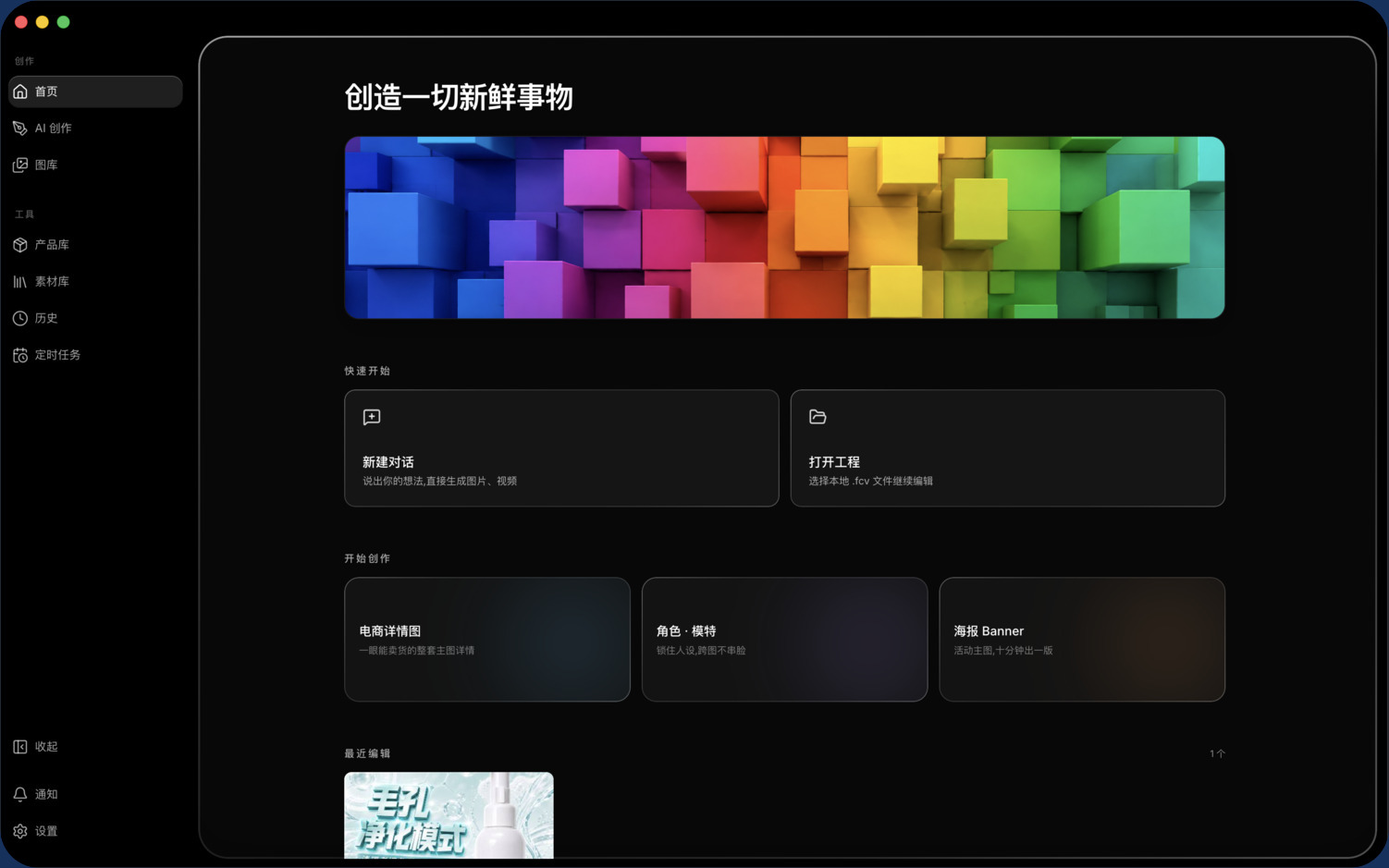
Home · intent in one sentence
Pick a model and generate; common creative scenes built in.
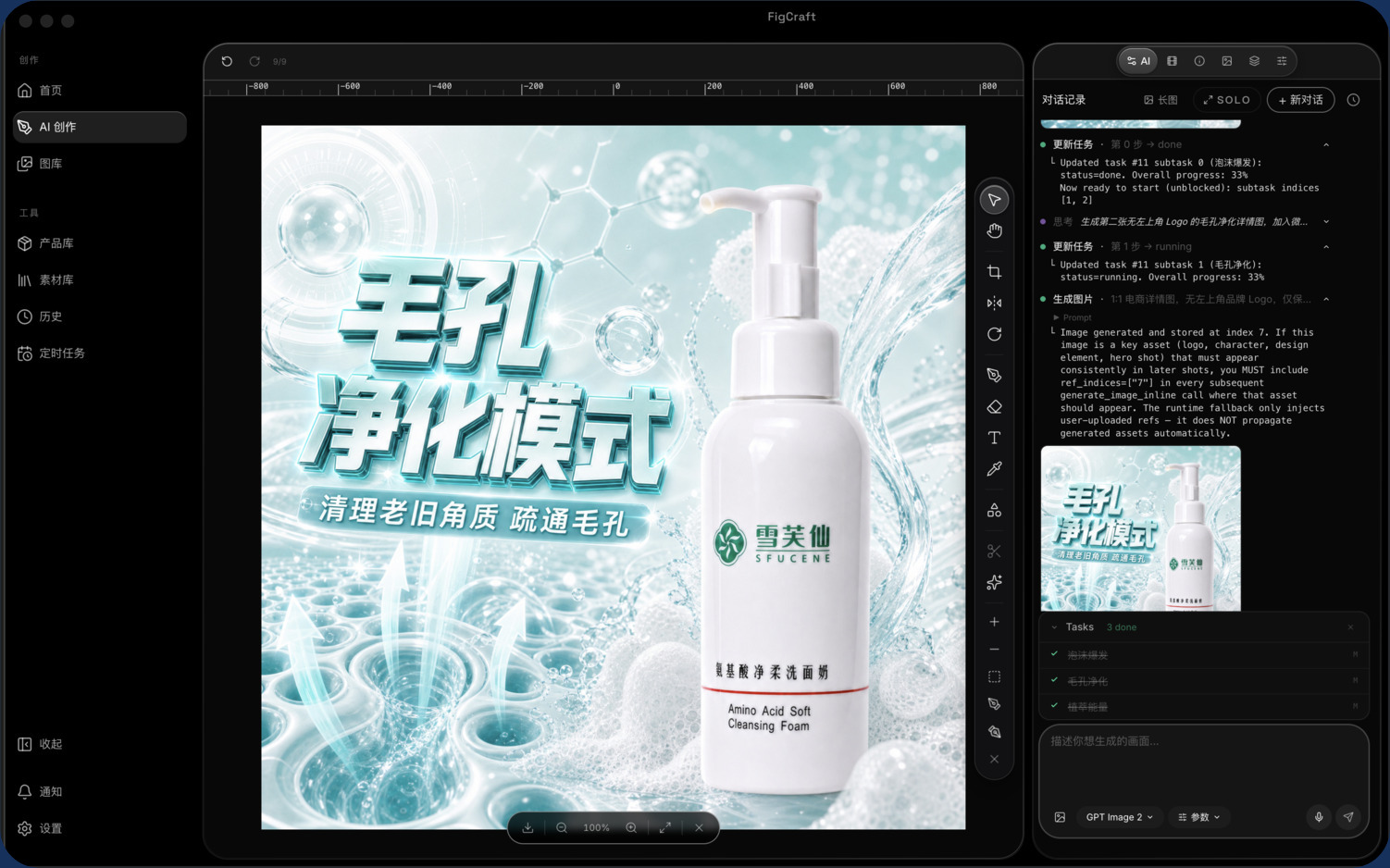
Creation workspace
Layered canvas + agent task flow, parallel generation visible throughout.
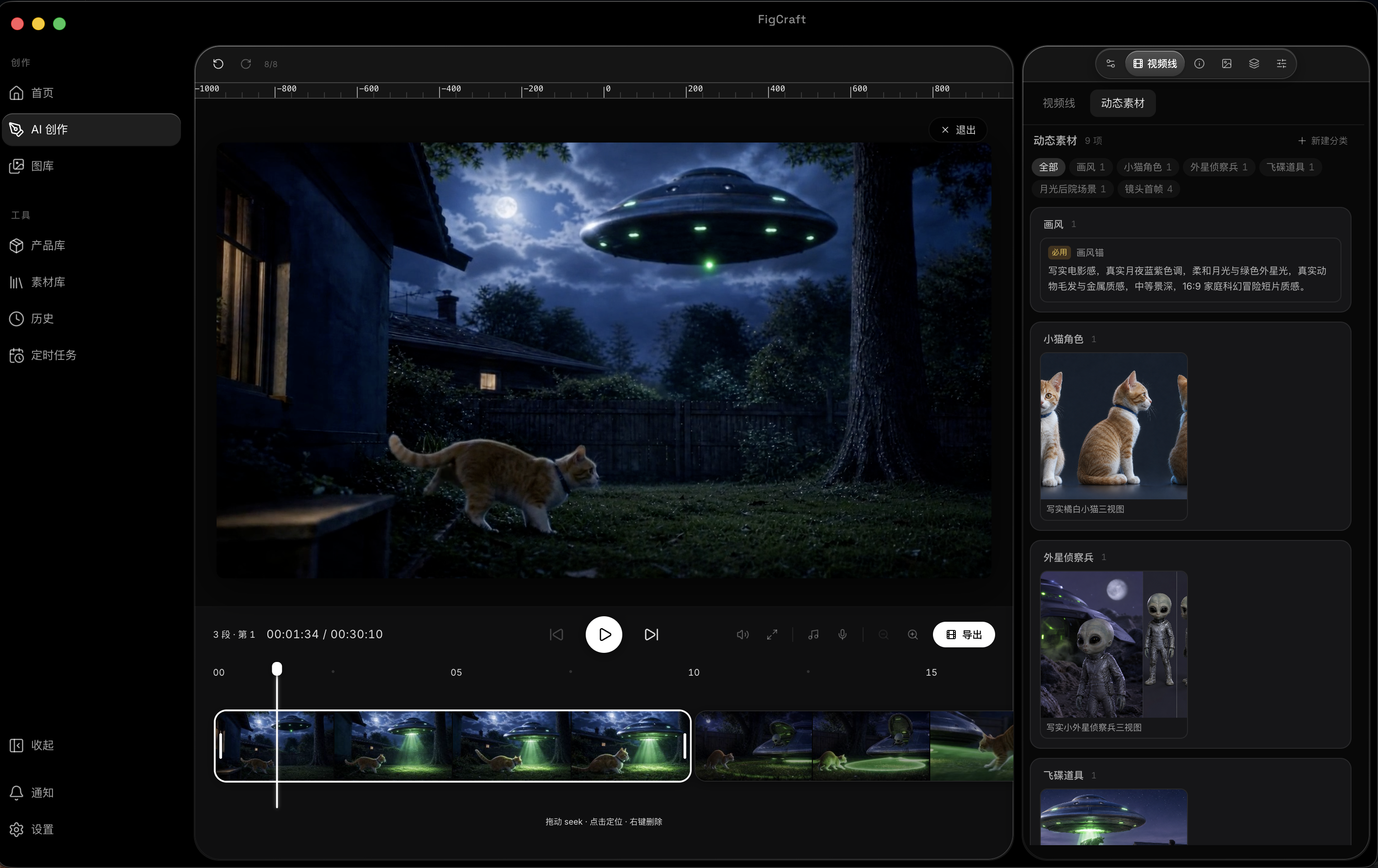
Video line · multi-shot timeline
Orchestrate shots, scrub frames, preview the cut.
Fully self-developed, from the reasoning engine to 80+ tools — the group's core technical asset.
Two-layer context compression
Short-term token budget + auto-summary, with long-term persistent memory — it still remembers early assets dozens of turns in.
Cross-vendor fallback chain
When the primary model fails it auto-switches to a backup — any model (even Qwen) can reliably deliver a full set of visuals.
Three-layer consistency anchor
Upload / hero / chained anchoring keeps a subject strictly consistent across images and shots.
Structured video line
Per-shot first/last frame, reference clip and voice are controllable — a set of stills becomes a brand short film.
80+ self-built tools, each chosen per turn and graded into three risk tiers — so brands can safely hand execution to the AI.
Read-only tools
Analyze image / search references / capture canvas
Parallel, fastest
Destructive tools
Generate / edit / compose / export
Serial, conflict-safe
High-sensitivity tools
Shell commands / overwrite / bulk delete
Confirm every time, no bypass
Not just single clips — the agent storyboards like a director and keeps consistency across shots.
Video line · structured production memory
A video splits into shots, each a structured contract (prompt / frames / refs / audio / params) the agent freely orchestrates.
First-frame provenance · anti-drift
Each shot declares where its first frame comes from, keeping characters and scenes strictly consistent across shots.
Dynamic asset library
Characters / scenes / audio / text blocks are managed and reused for consistency and efficiency.
Timeline · continuous preview
Clips play continuously, drag to reorder, scrub frames — production stays visible and adjustable.
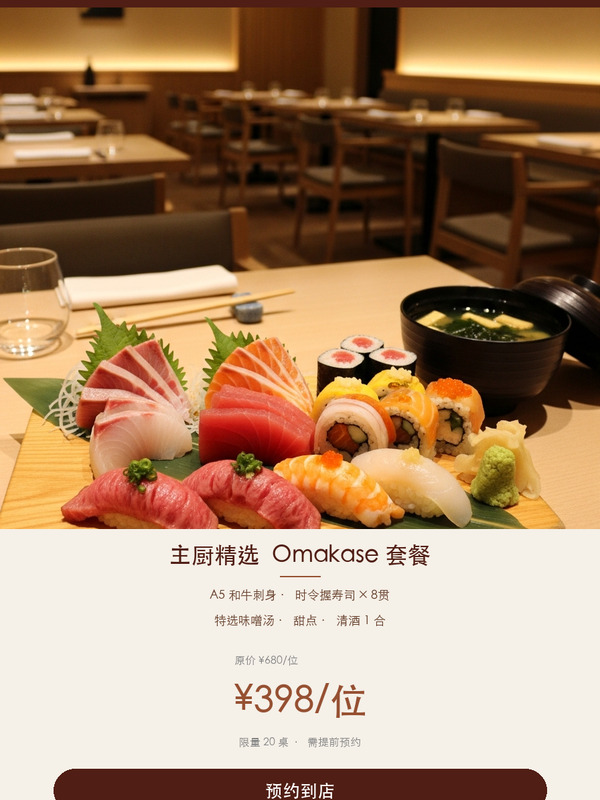
Every image here was produced in FigCraft — from commercial product shots to campaign posters.